


Go Viral Faster with AI Lab’s Trend-Ready Templates
Compact content reigns in the digital space. Apps such as TikTok, Instagram Reels, and YouTube Shorts are popular because they are fast, stylish, and relatable. To stand out, you must be fast and innovative. The viral content is frequently based on trends that transform within days or even hours.
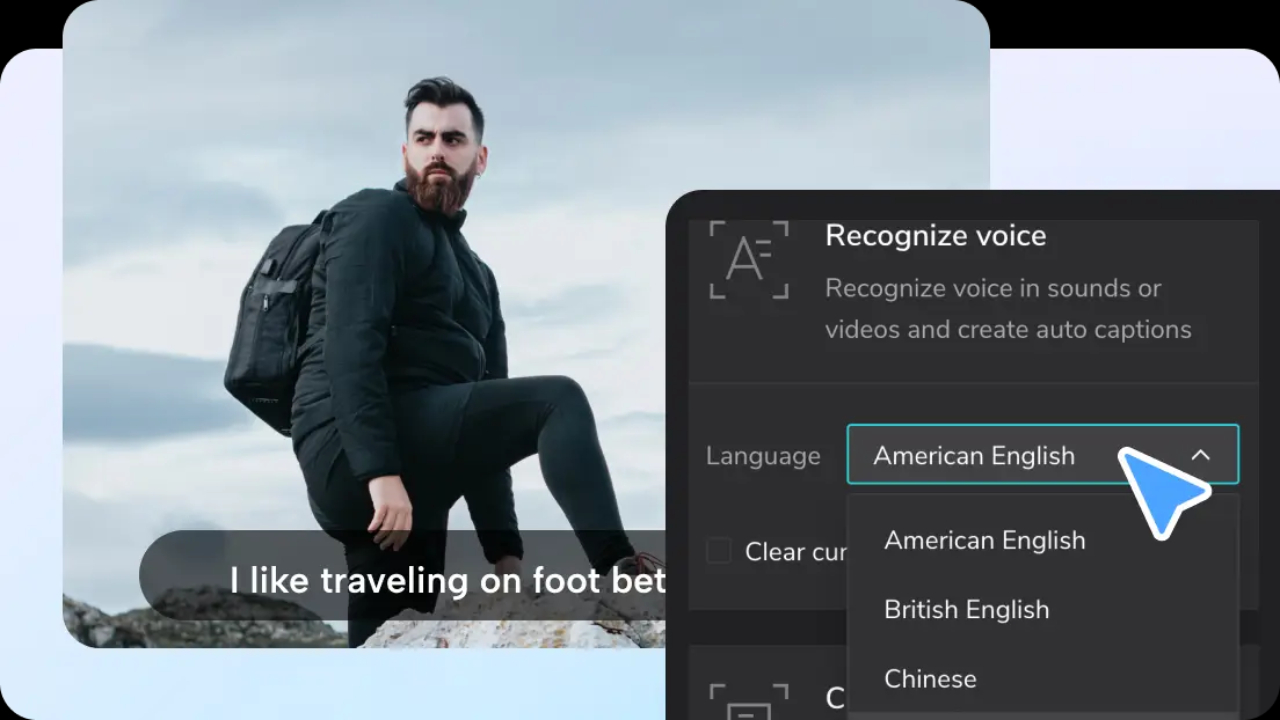
This dynamic change necessitates quick content creation without compromising quality. This is where AI comes in; AI tools allow for creating videos more quickly and in a popular format. With the right tools, videos can be made with minimal effort to become polished and high-performing. An AI caption generator will also help align the energy in your video with the audience's attention span. You use it to add subtitles that enhance interaction without being visually exhausting.
It is a problem solved by the AI Lab of the CapCut App. It provides you with ready-to-use AI-powered templates that enable you to spot trends early. Such templates allow you to concentrate on your narrative and leave the heavy work to AI.
Learning about the Trend-Ready Templates in the AI Lab of CapCut
Trend-ready templates present ready-made video formats. They are designed to align with the speed and rhythm of viral videos. The AI lab of the CapCut App offers over 50 different styles of content for storytelling, tutorials, vlogs, and more.
These templates have a single goal: to help you go viral faster. Standard templates provide a structure, but they are more than that. They auto-correct timing, pacing, and transitions to popular content styles. You achieve professional results with minimum effort.
The AI lab in the CapCut App also comprises tools such as AutoCut and the AI Story Maker. These are the tools that fit with visual trends to boost your message. The AI templates transform your clips into a form that resembles high-performing videos.

The Templates and Platform Trends: How Templates Fit into the Trends in Platforms
The AI Lab of the CapCut App is dedicated to templates relevant to TikTok, Instagram Reels, and YouTube Shorts. Such platforms prefer shorter, punchy videos with good openings and smooth flow.
Templates are available with in-built hooks, fast changeover, and vertical formats. They are all designed to maximize watch time and interaction. AI identifies the styles of videos that are becoming popular and creates templates based on the patterns.
The CapCut App will track movement patterns in content using its AI. In cases where upbeat music, jump cuts, or on-screen text are popular, templates will be based on that. This makes your content timely and competitive on all platforms.
Plug-and-Play Customizable Design
Editing is facilitated by drag-and-drop choices in the CapCut App. How simple it is to fill your clips into a template and watch it come to life. One can change the pacing, voiceovers, or captions with a few clicks.
The templates can be customized for various types, including vlogs, tutorials, reviews, and how-to videos. The AI Lab will include elements that enable adjusting the video rhythm, adding filters, and balancing color grading. It gives your final product a professional look, as if it has been put together and edited.
You save time while retaining complete creative control. CapCut App makes it easy to do the work,, whether you are an amateur or a professional creator, allowing you to concentrate on the message.
Increasing Discoverability and Reach
The templates are viral and come with built-in benefits. They are filled with popular music, animated captions, and hashtags. This makes you more discoverable and shareable.
Your video grabs attention all by itself through the use of the common visual language of platforms. Awe-inspiring entrances, hooky movements, and exciting transitions enable viewers to linger longer.
There are other points of engagement using visual effects and stylized captions. Attributes such as moving text or glowing accentuations can guide the eyes and influence the appeal to emotion. These add to the memorability of your video and make it re-watchable.
Design of Viral Loops and Dynamic Hooks
A great video should have a good opening in the first few seconds. Ensure that you have captions, sound effects, or bold images to capture early attention. The CapCut App AI video maker utilizes templates that prominently display crucial information.

To create loops, construct your ending to restate the beginning. This leads to more replays that improve visibility. Back up your message with either pictures or an audio repetition.
The AI templates will allow you to develop dynamic storytelling with motion and rhythm. The content is graphic and involves engaging, keeping the audience on the edge of their seat throughout. Combine these with your core idea that the story will be remembered.
Steps to Create Trendy AI Videos with Ease
Step 1: Open CapCut & Pick AI story maker
Open the CapCut app and hit the "AI Lab" tab at the bottom of the screen. You’ll find trending AI-powered features such as "AI story maker", "AutoCut", and other "AI tools". Tap on "AI story maker" and select the "Try now" option to begin.

Step 2: Paste Script & Customize Video
Type or paste your script in the "Create AI story video now" section. Then, pick a visual style like Realistic Film, Cartoon 3D, or Anime. You can also add a "Voiceover", change the "Video ratio", and hit "Generate" at the bottom once you're done.

After it creates your story, go to the "Music" tab to insert background music. You can also visit the "Caption style" tab to style your captions with effects, animations, and custom fonts. For advanced edits like filters, stickers, or transitions, tap "Go to Edit" to access CapCut’s full editor.
Step 3: Save & Share Everywhere
Once you preview your video, tap "Export" in the top-right corner. Your video will be saved to your phone, ready to be shared across TikTok, YouTube, Instagram, Facebook, or any social app you prefer.

Conclusion
CapCut App’s trend-ready templates remove the complexity of content creation. You no longer need to worry about pacing, music, or transitions. Everything aligns with what performs well online.
By using CapCut App’s AI tools, you can create polished, trend-driven videos without starting from scratch. Stay consistent, experiment with different styles, and keep publishing.
Explore CapCut App’s AI Lab to unlock long-term success in the world of short-form content.
Read Also: Ruben Amorim: Career, Philosophy & Achievements
'%3e%3crect%20y='0.445312'%20width='48'%20height='48'%20rx='24'%20fill='white'%20fill-opacity='0.5'/%3e%3crect%20x='0.5'%20y='0.945312'%20width='47'%20height='47'%20rx='23.5'%20stroke='%23808080'/%3e%3cpath%20d='M34.625%2024.4453L14%2024.4453'%20stroke='%23808080'%20stroke-width='0.920053'/%3e%3cpath%20d='M23.375%2034.4453L13.375%2024.4453L23.375%2014.4453'%20stroke='%23808080'%20stroke-width='0.920053'/%3e%3c/g%3e%3cdefs%3e%3cfilter%20id='filter0_b_489_44344'%20x='-12'%20y='-11.5547'%20width='72'%20height='72'%20filterUnits='userSpaceOnUse'%20color-interpolation-filters='sRGB'%3e%3cfeFlood%20flood-opacity='0'%20result='BackgroundImageFix'/%3e%3cfeGaussianBlur%20in='BackgroundImageFix'%20stdDeviation='6'/%3e%3cfeComposite%20in2='SourceAlpha'%20operator='in'%20result='effect1_backgroundBlur_489_44344'/%3e%3cfeBlend%20mode='normal'%20in='SourceGraphic'%20in2='effect1_backgroundBlur_489_44344'%20result='shape'/%3e%3c/filter%3e%3c/defs%3e%3c/svg%3e)
'%3e%3crect%20y='0.445312'%20width='48'%20height='48'%20rx='24'%20fill='white'%20fill-opacity='0.5'/%3e%3crect%20x='0.5'%20y='0.945312'%20width='47'%20height='47'%20rx='23.5'%20stroke='%23808080'/%3e%3cpath%20d='M13.375%2024.4453L34%2024.4453'%20stroke='%23808080'%20stroke-width='0.920053'/%3e%3cpath%20d='M24.625%2014.4453L34.625%2024.4453L24.625%2034.4453'%20stroke='%23808080'%20stroke-width='0.920053'/%3e%3c/g%3e%3cdefs%3e%3cfilter%20id='filter0_b_489_44344'%20x='-12'%20y='-11.5547'%20width='72'%20height='72'%20filterUnits='userSpaceOnUse'%20color-interpolation-filters='sRGB'%3e%3cfeFlood%20flood-opacity='0'%20result='BackgroundImageFix'/%3e%3cfeGaussianBlur%20in='BackgroundImageFix'%20stdDeviation='6'/%3e%3cfeComposite%20in2='SourceAlpha'%20operator='in'%20result='effect1_backgroundBlur_489_44344'/%3e%3cfeBlend%20mode='normal'%20in='SourceGraphic'%20in2='effect1_backgroundBlur_489_44344'%20result='shape'/%3e%3c/filter%3e%3c/defs%3e%3c/svg%3e)