


Project Management and Automated Workflows Made Easy with Lark
As we know that, teams often become stuck because their technology stacks don't work. People are less productive and less aware of what's going on when they have to switch between multiple tools, including a calendar, a chat app, a project management application, and a document editor. This is where a platform like Lark that does everything in one place truly helps. Lark is more than just a bundle of tools; it's a single workspace that makes managing projects easier and automates actions that need to be done again and over again so that teams can focus on what truly matters: getting work done quickly.
Key features for project management and automation
Lark, being one of the industry-leading project management tools on the market, offers a lot of excellent yet advanced features that make it easier to manage projects and automate operations. These tools are supposed to be easy to use and powerful, so teams can do intricate procedures without needing to know a lot about technology.
1. Lark Base: The no-code data hub
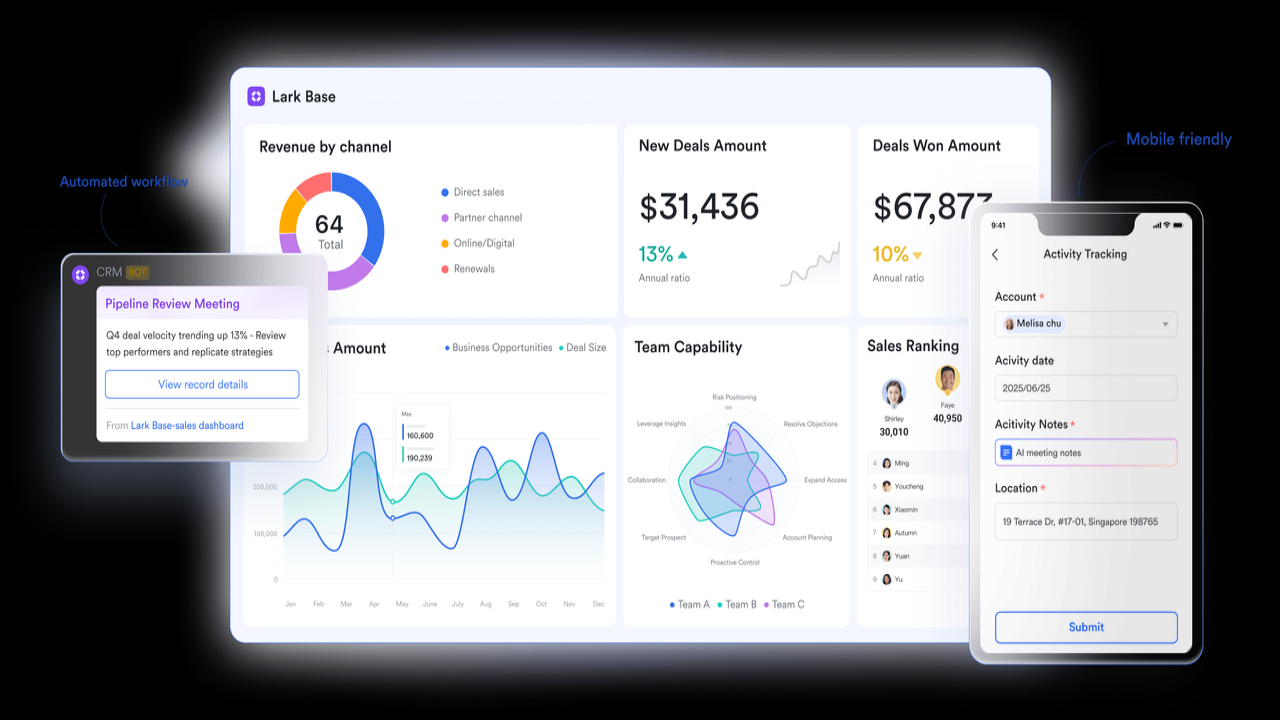
Lark Base is a versatile data management platform, with a rich set of tools that help users to present, visualize, and organize data. This advanced, no-code database and workflow builder enables teams to create their own apps and keep track of their work in an obvious and structured way. With Lark Base, users can manage projects that show information in a number of views, including Grid, Kanban, Gantt, Calendar, and Gallery. All of these views change in real time. This flexibility lets everyone in the team look at the same information in the way that works best for them. A project manager would use a Gantt chart to keep track of a schedule, while a creative team member might use a Kanban board to keep track of what has to be done.
Additionally, Lark Base allows teams to create automated workflow, simplifying task management and ensuring that processes are followed consistently. Customizing timelines, dashboards, and workflows make it easy for teams to adapt the app to their specific needs, helping them stay organized and keep track of important information.
2. Lark Approval: Automatic approval workflow
Lark sets itself apart from other platforms by offering Lark Approval, which streamlines the approval process within your team. This powerful feature helps eliminate bottlenecks by routing tasks directly to the appropriate person for quick sign-offs. Whether it’s approving expense reports, confirming project deliverables, or processing leave requests, Lark Approval automates the approval chain, ensuring that no important decision is delayed.
With Lark Approval, you can create customized workflows that automatically trigger approval requests based on predefined criteria. For example, when an expense report is submitted, Lark Approval can automatically route it to the manager for approval. Once approved, the workflow moves seamlessly to the next step, keeping everything on track without requiring manual intervention.

3. Lark Docs and Lark Messenger: Collaborative communication
Lark Docs, with its collaborative document editor, and Lark Messenger, its advanced chat software, exemplify how communication and collaboration can happen in context. Instead of sharing links to separate documents, teams can now collaborate on documents in real time, directly within Lark Messenger. This tight integration means that conversations and decisions are not only recorded but immediately linked to the relevant document or topic.
You can use "@" mentions in Lark Docs to tag coworkers, assign tasks, and even embed tables from Lark Base that dynamically update. Lark Messenger enhances communication with threaded conversations to keep discussions organized and a "Do Not Disturb" mode to help users stay focused and avoid interruptions.

4. Lark Meetings: Smart video meetings with AI
Lark Meetings goes beyond video calls by offering AI-powered meeting minutes that automatically transcribe and summarize key points and action items. With real-time translations and subtitles, team members speaking different languages can easily communicate. Smart playback allows users to review recordings efficiently by skipping silent moments and adjusting playback speed. Meeting notes can be shared in Lark Docs or Lark Messenger, ensuring alignment. These features make meetings more productive, inclusive, and easy to follow up on.

5. Lark Wiki: Get everything right at your fingertips
It's hard to find information when you use a lot of apps, which is one of the most unpleasant aspects about not having a universal search function. This challenge is solved with Lark Wiki's robust universal search feature. You may search for all of Lark's features, such as messages, papers, calendar entries, and files, using just one search box. It enables teams to find a key document or a conversation from the past in just a few seconds, making the feature useful for large teams or projects with a lot of paperwork, ultimately saving time when you need to find the ideal information.

Conclusion
Lark, as business process management software, makes a tremendous difference in how teams function. It solves the problem of "tool sprawl" by putting a group of advanced collaboration, project management, and automation tools on one platform. This helps the workplace stay organized and get more done. It has customizable dashboards and automated workflows that give project managers more information and control over how the project is going than any other solution. It helps team members talk to and cooperate with each other better, ensuring that everyone receives the right information at the right time. Lark is a wonderful solution for organizations of all sizes who want to get more done and get better at managing projects, since it has a simple design and sophisticated automation that doesn't require any coding. It's not just a tool; it's a better way to accomplish things.
Read More: Jessica Pegula 2025: Career, Wins, Records & Achievements
'%3e%3crect%20y='0.445312'%20width='48'%20height='48'%20rx='24'%20fill='white'%20fill-opacity='0.5'/%3e%3crect%20x='0.5'%20y='0.945312'%20width='47'%20height='47'%20rx='23.5'%20stroke='%23808080'/%3e%3cpath%20d='M34.625%2024.4453L14%2024.4453'%20stroke='%23808080'%20stroke-width='0.920053'/%3e%3cpath%20d='M23.375%2034.4453L13.375%2024.4453L23.375%2014.4453'%20stroke='%23808080'%20stroke-width='0.920053'/%3e%3c/g%3e%3cdefs%3e%3cfilter%20id='filter0_b_489_44344'%20x='-12'%20y='-11.5547'%20width='72'%20height='72'%20filterUnits='userSpaceOnUse'%20color-interpolation-filters='sRGB'%3e%3cfeFlood%20flood-opacity='0'%20result='BackgroundImageFix'/%3e%3cfeGaussianBlur%20in='BackgroundImageFix'%20stdDeviation='6'/%3e%3cfeComposite%20in2='SourceAlpha'%20operator='in'%20result='effect1_backgroundBlur_489_44344'/%3e%3cfeBlend%20mode='normal'%20in='SourceGraphic'%20in2='effect1_backgroundBlur_489_44344'%20result='shape'/%3e%3c/filter%3e%3c/defs%3e%3c/svg%3e)
'%3e%3crect%20y='0.445312'%20width='48'%20height='48'%20rx='24'%20fill='white'%20fill-opacity='0.5'/%3e%3crect%20x='0.5'%20y='0.945312'%20width='47'%20height='47'%20rx='23.5'%20stroke='%23808080'/%3e%3cpath%20d='M13.375%2024.4453L34%2024.4453'%20stroke='%23808080'%20stroke-width='0.920053'/%3e%3cpath%20d='M24.625%2014.4453L34.625%2024.4453L24.625%2034.4453'%20stroke='%23808080'%20stroke-width='0.920053'/%3e%3c/g%3e%3cdefs%3e%3cfilter%20id='filter0_b_489_44344'%20x='-12'%20y='-11.5547'%20width='72'%20height='72'%20filterUnits='userSpaceOnUse'%20color-interpolation-filters='sRGB'%3e%3cfeFlood%20flood-opacity='0'%20result='BackgroundImageFix'/%3e%3cfeGaussianBlur%20in='BackgroundImageFix'%20stdDeviation='6'/%3e%3cfeComposite%20in2='SourceAlpha'%20operator='in'%20result='effect1_backgroundBlur_489_44344'/%3e%3cfeBlend%20mode='normal'%20in='SourceGraphic'%20in2='effect1_backgroundBlur_489_44344'%20result='shape'/%3e%3c/filter%3e%3c/defs%3e%3c/svg%3e)